Stuff

Legacy color guide Equestria Girls Preliminary S5 Color Guide
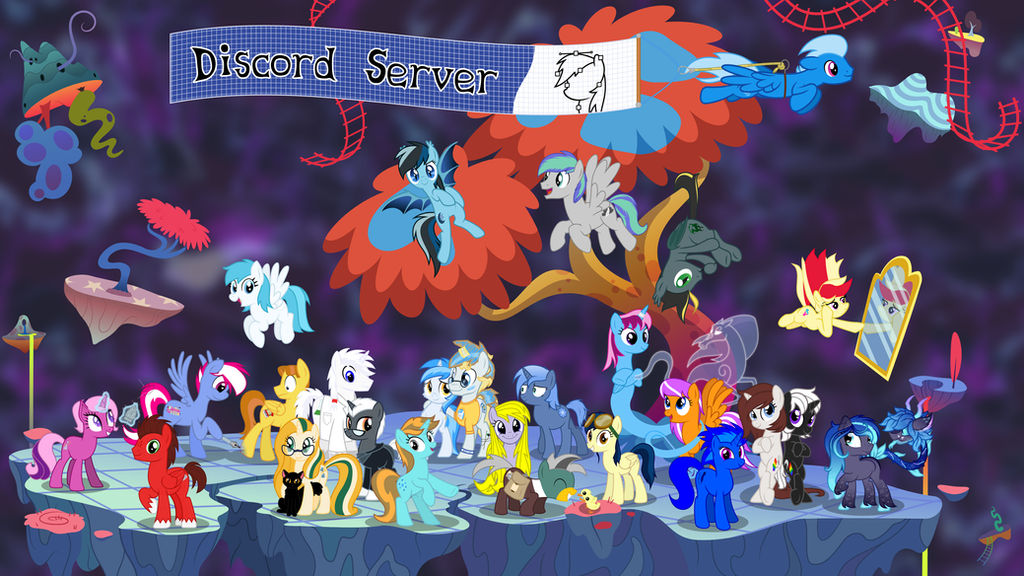
To join our Discord server, click this link.
For more info or if you have any questions see the journal.









Group Admins
Founders

Cofounders



Moderators


Group Info
It brings more of the true style and nature of the show to life. This group also works as a ground for collecting different vectors in one big gallery for easy browsing. This makes it easy for anyone who wants to use high-quality transparent images for comics, videos, t-shirts, posters, wallpapers, and so much more.
What is a Vector?
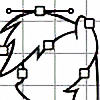
A vector is a type of digital image built from shapes instead of pixels, which can be scaled indefinitely and modified without loss of quality. They look like this. You can find a more detailed description on Wikipedia.
What does it look like to create a vector?
0.1 Only a few programs can create vectors!
Examples of proper vector programs are Inkscape (free, most recommended), Illustrator (also recommended), Ponyscape (experimental derivative of Inkscape, recommended), and Photoshop (not recommended), while programs which CANNOT make vectors are, for example, GIMP, Paint Tool SAI and Paint.NET.
Information
Group Rules
1.1 Membership in this group is only for people who create vectors that can be contributed to our gallery.
But please note that you have the ability to watch us for new deviations by simply clicking the +Watch button on the sidebar to the left. If you do want to join first read the rules listed below under How to Join. Requests are NOT automatically accepted and if you haven't read the rules you will be denied!
1.2 This group has a high quality standard.
Please- we know it's really difficult, but please don't take it personally when we point out problem areas and ask for fixes in your vectors- this is normal. We have nothing but a tremendous amount of respect for anyone willing to put themselves out there and create new material, so we just want to see your work be the best it can be, and are willing to volunteer our own time to help you out with that. It means you have our support in making show accurate work- if that is what you're going for. To that end, we watch out for gallery submissions with the common errors explained in our illustrated pony quality guides and tell you about it so that it can meet our Submission Rules. r/MLPvectors on Reddit is another great community for vectors that specializes in helping newcomers.
1.3 Members who are banned, who delete their accounts or haven't submitted anything for 6 months may be removed until they return with new material that meets the current group standards. If this applies to you, and you are reapplying, see rule 2.5 for more details.
1.4 When you use an existing vector, link to the source to credit the original author.
Adding a watermark or refusing to acknowledge the content owner is considered serious art theft. Follow sharing etiquette! If the owner stated they want no reuses of their work you should never be posting any.
1.5 The admins have the right to make the final call in all group related decisions. We WILL judge all gallery submissions based on subjective criteria, including whether your work is safe for kids, has a high quality design, good colors, and a close resemblance to the show. We have the right to remove gallery items that have already been accepted for subjective reasons as well. Membership is not guaranteed to anyone, and we can remove users from the group if we decide it is necessary.
How To Join
2.1 You MUST have at least 4 FIM-related show-accurate vectors that meet our Submission Rules in your gallery made entirely by you, so we can see if your work has the quality we're looking for. At least two of these should be a full-body shot of a pony species character (canon or otherwise), as this is the most common entry within this group. The other two may be other species, objects, backgrounds or other FIM-related vectors in show-style, but we will be able to be better judge your work based on character shots over other types of works.
2.2 Submit a membership request by pressing the "Join our Group" button in the sidebar. Post the links to the 4 vector works you want in the group, and tell us what program you made them with. Please let us know that you agree to our rules by including the icon linked at the bottom of this post. If you have any questions you can add them to the body of your post to get a reply.
2.3 Be patient after submitting your request, as it may take up to 7 days for it to be processed. Submitting multiple requests will slow the process.
2.4 If you get declined, you can always try again in the future. There's no harm in getting a denial from us. Also, remember that you can simply add the group to your deviantWatch (click the +Watch button on the left sidebar) to see new vectors added to the gallery.
2.5 If you were previously a member and were removed for inactivity, your requirements are a bit less rigorous:
- State at the very start of the application "Re-application". This will allow us to prioritize your request. Any use of this text from new members will result in intentional delays.
- Make note of when you were last a member and why you were removed (inactivity is the usual cause).
- You need to provide 2 or more new images, made within the last 6 months. You can supplement those with older images that may already be in the Club to make the required 4. Please note which are new and which are old.
- Remember to include the Dash icon that shows you agree to the rules (Rule 2.2).
Submission Rules
3.1 We specialize in, and prefer, show-accurate images. However, we accept any style as long as the vector is technically sound and follows our Color Guides when available. Remember to use the RGB color mode!
3.2 Low quality, low accuracy, rough images are not accepted here. Please practice, read a tutorial and be sure to read our illustrated pony quality guides, or we'll explain these problems to you when we see them. Using automatic software tracing results in low quality and images generated this way are not acceptable here.
3.3 The only accepted raster format is PNG. JPEGs are not accepted due to the format's lossy compression. Download links for more/other formats can be put in the description.
3.4 Please post your SVGs, PSDs, AIs, FLAs and other vector source files with a download link to a file sharing site like Sta.sh or equivalent in the deviation's description. Tutorial here. Vector source files are mandatory for anything that contains traces from the official media, but are optional for everything else. You can also upload them to your Scraps, Minus (but create an account so your file won't expire), OneDrive, Dropbox, or another file host. Other file hosts shouldn't have fake download links or other bad ads, or restrictions on guest downloads.
3.4b FLA, SWF, SVG and APNG are accepted, but not GIFs alone! GIFs are a poor choice of format for publishing your work if you don't provide alternatives, because they can only have 256 colors and very rough transparency, where the others have full support for millions of colors and transparency.
3.4c For wallpapers we only accept PNG format images, but you can put formats other than PNG (such as JPG) in the description. Submitted wallpapers must NOT be the kind of content anyone can create in a matter of minutes, and they have to be entirely vector-based. Desktop wallpapers should be at a high display resolution of at least 1920x1080 (though you may include the wallpaper at other resolutions as links as well). Wallpapers for mobile devices should be similarly at a high resolution considering new mobile devices will have similar 1920x1080 resolutions. Wallpapers do not have to meet the minimum 3000 pixel size required for other vectors, but please include your vector file, so people can generate their own sizes.
3.5a Exported images must be high resolution, so upload your work at minimum 3k x 3k, and recommended 5k x 5k+ so it's as detailed as possible.
3.5b The image size is moot if you don't enable downloading, so make sure the "allow downloading" box is checked! This applies to ALL submissions including cutie marks and objects.
3.5c Please use common sense though; getting much above 10k is generally overkill (also keep in mind that people with slower computers won't even be able to open such images).
3.5d Since Comics and Tutorials tend to be very tall, simply make them at least 1000 pixels wide (they do not need to meet the 3000 pixel minimum size).
3.5e Any image that is expected to not have any reuse capability, may be allowed in without meeting the minimum image size requirements (3k x 3k) on a case-by-case basis. Examples could include OCs with background, OS with background, etc. In these cases, a high resolution file may be required privately for critique purposes.
3.6 Do not put a watermark on your image, and if there is text that isn't central to the image please submit another version without it. On an OC you could put a signature only if it is very unobtrusive, but this is heavily discouraged. They are distracting and disrupt the file, making it useless for people who would like to use it for other projects or personal use. Any submission with DeviantArt's watermark will be denied.
3.7 Content in the group should be safe for all audiences including younger kids, like the show is. For this reason we judge submissions for child safety for each particular case, and reject anything unsuitable for our group's standard. The most that's allowed is light shipping (cute and not suggestive), and very small amounts of blood like a small cut.
3.8 To prevent flooding our gallery and watchers, instead of sending in different versions of the same image, send a pack of the full collection. You can use a ZIP download or links to the other deviations in the description. There is a limit of four deviation submissions per day to prevent members from submitting their entire galleries all at once.
3.9 Artwork submitted for consideration must be your own. Deviations submitted by someone other than the original artist will be denied/withdrawn. If you find art that you think should be in our gallery, send the original artist a note suggesting that they join the group.
3.10 Be patient. Submissions are usually processed on a weekly basis, so even if you get no response for a couple days, don't lose hope. It simply means that we haven't gotten to your submission yet. Because the queue is usually full of new vectors, and since we're working through them in our spare time, long wait times are to be expected. If nobody responds to your submission after 7 days then please send the group a note so we can take a look.
About the Administrators
The administrators are keen-eyed volunteer vector artists from the community, who run the group and double-check submissions for problems before they are approved.
Please understand that denying submissions is the most difficult action required of us to keep the group going. Much of the effort spent when critiquing you is to deliver the advice without causing offense by sounding unintentionally hurtful. We are dedicated to giving everyone who is denied the information they need to work on their issues and have their work accepted.
Every resource should be provided for in the group description, so please read it through. If there's anything else, feel free to contact one of us with a comment on the main page or a note, and we can answer questions or give constructive criticism.
2020 Community Survey
Changes to our Color Guide (April Fools)
Call for Collaboration
Comments 4.8K


I think someone vectored it, but I can't see it anywhere, can someone help me?